
By Chris Leo, Movou
Google did not make a mistake. It made a choice, and it told you what it thinks your site is about. You built a page for your best service. You search for that service and a two year old blog post comes up instead, or a page for a different town, or your home page. Everybody calls this a ranking problem and goes off to build links. It is not a ranking problem. It is a page selection problem, and the fix depends entirely on which of three things is actually happening. Pick the wrong one and you will make it worse.
- Confirm the mismatch in Search Console before you touch anything. Guessing from a search you ran yourself will mislead you.
- There are three causes and they need opposite fixes. One of them is not a problem at all.
- The most common real cause is internal links, not content.
- Never redirect the wrong page until you are certain the right page exists and answers the search.
Why is Google ranking the wrong page?
Because Google is picking, and it picks on evidence rather than on your intentions. When two pages on a site look like answers to the same question, it consolidates them and shows one, which is exactly the behavior described in Google’s own documentation on canonical URLs. Nothing is broken. Google looked at your site, decided two pages were the same answer, and shipped the one with more evidence behind it.
The evidence it weighs hardest is usually your own internal links. Whatever page your menu, your footer and your other posts keep pointing at, with whatever words they use in those links, is the page Google believes is the important one. If your navigation says one thing and your intentions say another, the navigation wins every time. It is the only one of the two that Google can read.
How do I confirm Google is ranking the wrong page?
Do not do this by searching Google yourself. Your results are personalized, they are shaped by where you are sitting, and they will not match what a stranger sees. Use the data instead.
1) Open Search Console, go to Performance, and click the Queries tab.
2) Find the search you care about and click it. Everything filters to that one search.
3) Now click the Pages tab. With the query filter still on, this shows you exactly which URL earns the impressions for that search.
That is your answer, and it comes from Google rather than from your own browser. The impressions figure is the count of times your result was actually seen, so the page listed there is the page real people are being shown.
Do this for your top five searches before you change anything. You will often find the mismatch is not where you assumed, and in a couple of cases you will find there is no mismatch at all.
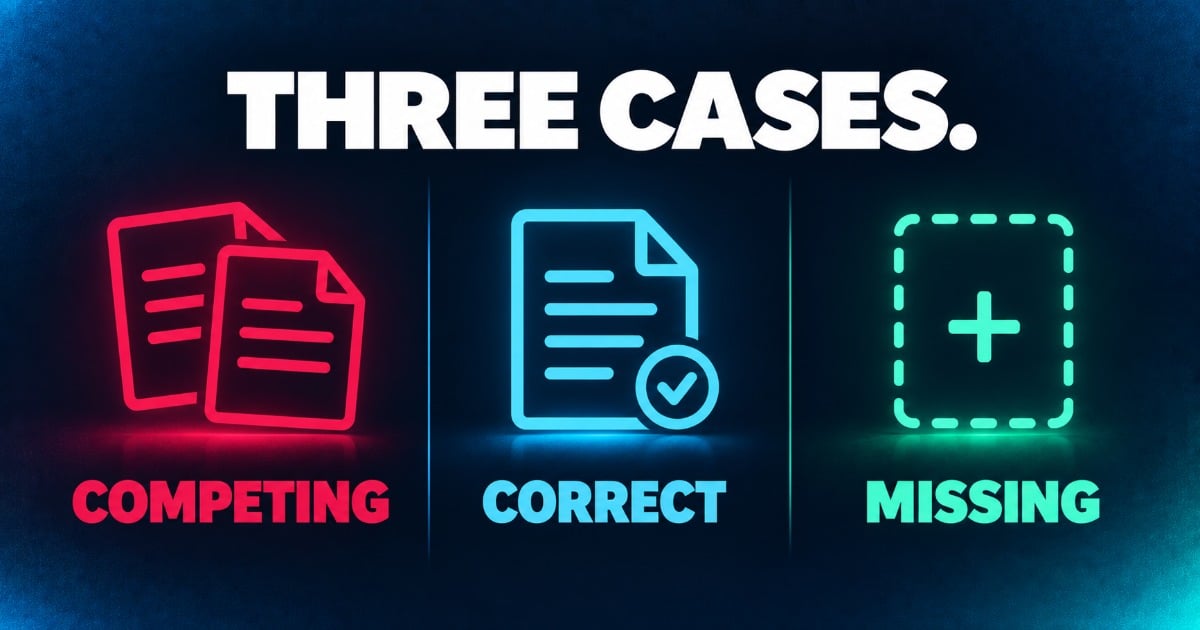
Case 1: two of your pages want the same search
This is the one everybody has heard of. It gets called keyword cannibalization, which is just a marketing nerd term for two of your own pages fighting over the same search. Neither wins cleanly and Google keeps flip flopping between them.
You will recognize it in Search Console when two URLs both show impressions for the same query, usually with mediocre positions on both. Neither page is bad. They are splitting the vote.
The fix is to pick a winner and make the loser stop competing. Decide which page you actually want to rank, then change the loser so it is clearly about something narrower. Change its title, change its H1, change its opening paragraph, and then point the loser’s internal links at the winner rather than the other way around. If the loser has nothing unique left to say once you have narrowed it, redirect it into the winner.
Case 2: Google picked your blog post over your service page
This one is specific to service businesses and almost nobody writes about it, but it is the one I see most.
You have a service page that says what you do, and a blog post from eighteen months ago that answers a question about that service in far more depth. Somebody searches, and Google shows the blog post. That feels wrong. It usually is not.
Think about the person searching. If they typed a question, the blog post is the right answer and Google is doing its job. Sending that person to a service page would lose them. The problem is not which page ranks, it is that the blog post has no obvious path to hiring you once somebody lands on it.
So do not fight it. Fix the destination instead. Put a real call to action in the post, link to the service page from inside the body text with plain descriptive words, and make sure your phone number is somewhere a person can see it without scrolling. You keep the ranking and you close the loop.
The version of this that genuinely is a problem is when somebody searches with buying intent, the words that mean hire me now, and Google still shows the article. That one you fix like Case 1.
Case 3: the right page does not exist
Here is the case the standard advice gets dangerously wrong. You search, Google shows something only loosely related, and every article you read tells you to de-optimize that page or redirect it. Do not.
Google shows a loosely related page when it has nothing better to offer. It is reaching. If you remove or redirect the page it is reaching for, you do not get the right page instead. You get nothing, because the right page was never there.
You can tell this case apart from the others by one signal. In Case 1 and Case 2 there are two plausible pages and Google chose between them. In Case 3 there is only one page, and it is not really about the search at all. If you cannot name the page on your site that should have won, this is Case 3.
The fix is to build the page that should have won. Then link to it from the page Google has been reaching for. That gives Google a better answer and a path to find it, and it lets you keep whatever the reaching page was earning while the new one gets established.
Should I redirect the wrong page or rewrite it?
Rewrite first. Redirect only when the page has nothing of its own left to say.
A redirect is permanent in practice, and it takes the page out of the index entirely. That is the right call when you have two pages saying the same thing, and the wrong call in every other situation on this list. Rewriting the losing page to be narrower keeps it working for its own smaller search while it stops competing for the big one.
One more thing worth knowing before you spend an afternoon rewriting titles. Google may not use the title you wrote. It swaps in a different title link when it thinks it has a better match for the search, and it documents when and why it does this. So if you change a title and the search result does not change, that is not always your fault, and it is not a reason to change it four more times.
How long does it take Google to switch pages?
Longer than you want and less time than a rebuild. Expect a few days for Google to recrawl the pages you changed, and a few weeks before the change in which page ranks actually settles.
Two things speed it up. Submit both URLs in Search Console with the URL Inspection tool so Google recrawls sooner, and fix the internal links the same day you change the pages, because those are what Google reads to work out which page you meant. That second one is the lever that moves this, and it is the step most people skip because it is unglamorous.
Do not make a second change while you are waiting. If you change titles in week one and internal links in week three, you will never know which one worked, and next time you will guess.
If what you actually have is the right page ranking and nobody clicking it, that is a different problem with a different fix, and we covered it in the ranking but no clicks guide. And if none of your pages are showing up for your core service at all, start with getting your business to show up on Google before you worry about which page wins.
Key takeaways
- Confirm the mismatch in Search Console by filtering to the query and then reading the Pages tab. Do not trust your own search results.
- Case 1 is two pages competing. Narrow the loser, repoint internal links, redirect only if nothing unique is left.
- Case 2 is a blog post outranking a service page, and it is usually correct. Fix the call to action on the post instead of fighting it.
- Case 3 is a page that does not exist yet. Build it. Redirecting here makes things worse.
- Internal links are the lever. Fix them the same day, and change one thing at a time.
Pick your single most valuable search, open Search Console, filter to that query, and look at which page comes back. If it is not the page you built for it, you now know which of the three cases you are in, and the three go in different directions. If you want help sorting out which one you are looking at, reach out to us at Movou and we will dig into it with you.
Which page did Google pick for you?