
By Chris Leo, Movou
You made it onto page one of Google and the phone still isn’t ringing. That’s not just frustrating, it’s confusing. You did the work, you show up in search, and somehow the clicks go to the business ranked below you. Here’s the hard truth we had to face with our own website: ranking is only half the job. If your title tag is boring, generic, or brand-first, searchers scroll right past you. This article breaks down exactly why you rank but get no clicks, and the simple title tag rewrite that fixes it.
- Ranking ≠ getting picked. A high position with a weak title tag still loses the click.
- Your title tag is a headline, not a filing label. Write it to win attention, not to name your page.
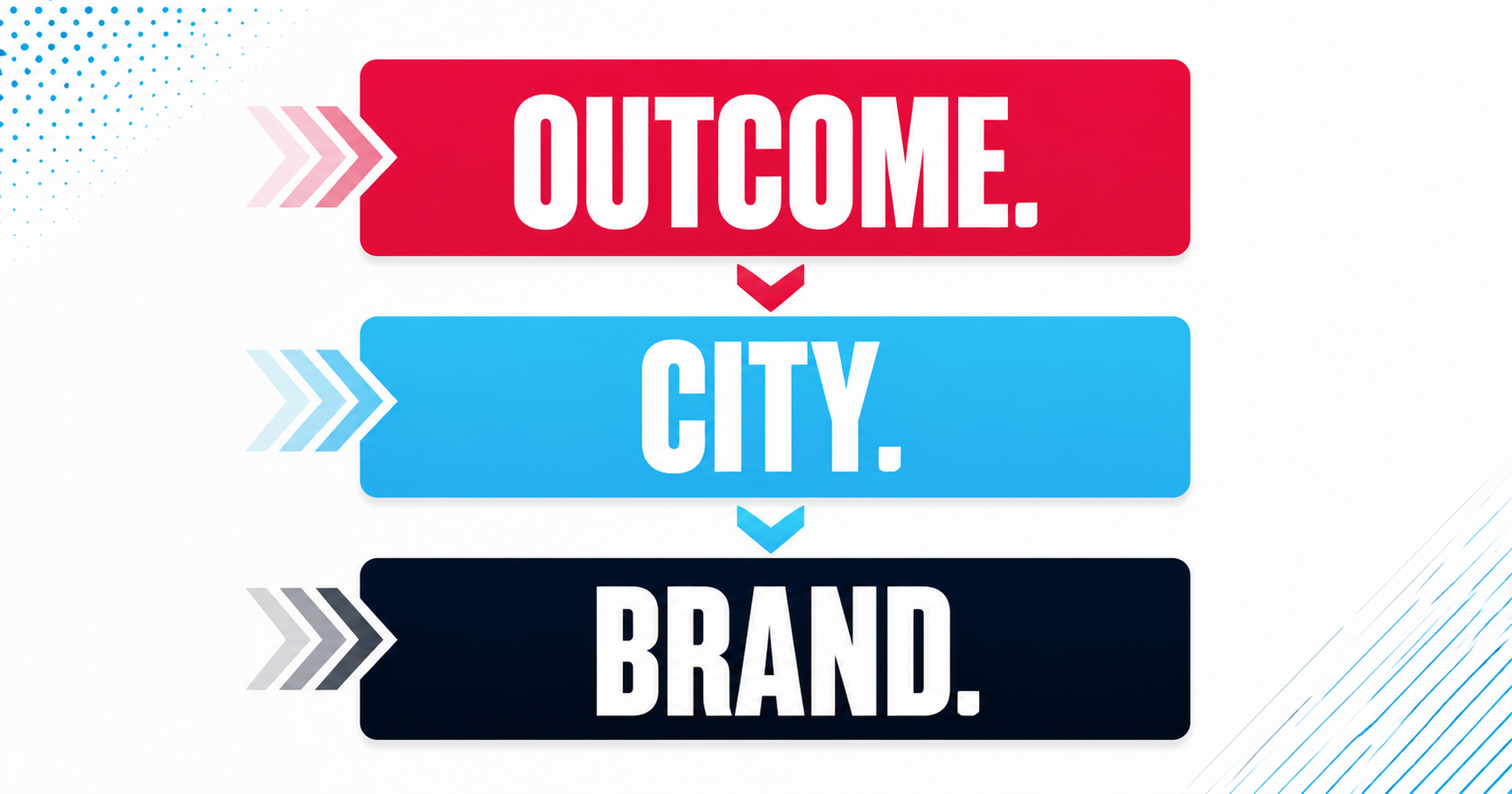
- The formula that works: outcome first, city second, brand last.
- Measure it in Google Search Console. Impressions with near-zero clicks is your signal to rewrite.
Why does my business rank on Google but get no clicks?
If you’re getting impressions but almost no clicks, the problem usually isn’t your ranking, your backlinks, or your website speed. It’s the two lines of text a searcher actually sees: your title tag and your meta description. Those are your storefront window on the results page. When they’re weak, a searcher looks at your listing, feels nothing, and clicks the result that promised them what they wanted.
We learned this the embarrassing way. One of our own pages ranked on page one and pulled in three clicks over two weeks. Plenty of impressions, almost no clicks. When we looked, the title tag read like a filing cabinet label: “Home | Movou.” It named the page. It gave a searcher zero reason to choose us. That’s the exact trap most service businesses fall into.
Google has confirmed that click-through rate is not a direct ranking signal, so a low CTR won’t automatically drop your position. But that misses the point entirely. Clicks are customers. You can rank number one forever and still starve if nobody clicks through to your site. The ranking is the opportunity. The title tag is what cashes it in.
What is a title tag, in plain English?
A title tag is the clickable blue headline that shows up for your page in Google’s search results. It’s a single line of code on your website, but to a searcher it’s the first and sometimes only thing they read before deciding whether to click. Think of it like the headline on a billboard. Nobody pulls over for a billboard that just says the company’s name. They pull over when it tells them what they’ll get.
Your title tag is a marketing message first and an SEO element second. According to analysis of title tag optimization, rewriting title tags to match what searchers actually want can lift click-through rates by 20 to 50 percent, without changing your ranking at all. Same position, more clicks, more calls.
Why is the first result not always the most clicked?
Here’s what surprises most owners: position isn’t everything. Backlinko’s analysis of 4 million Google search results found the number one organic result earns roughly a quarter of all clicks, which means three out of four searchers keep scrolling. They’re comparing headlines. A result in position three with a sharp, outcome-driven title tag routinely steals clicks from a position-one result with a dull one.
That’s actually great news. It means you don’t have to win the ranking war to win more business. You have to win the headline. And that’s a change you control, today, without waiting months for SEO to move.
The 3 title tag mistakes killing your click-through rate
In our work auditing service businesses, we see the same three mistakes over and over:
1. Brand first. “Movou | SEO Services” leads with your name. Your name means nothing to a stranger searching for help. Lead with what they get.
2. No location. Local searchers want a local business. A title tag with no city looks like a national brand a homeowner can’t hire, and it competes against the entire internet instead of just your town.
3. No outcome or reason to click. “Plumbing Services” is a category. “Same-Day Drain Repair in Austin” is a promise. One describes what you do. The other tells a searcher what they’ll walk away with.
The title tag formula that fixes it: outcome, city, brand
Here’s the exact structure we use, and the SERP gap most articles on this topic skip over. They tell you to “write compelling titles” but never give you an order to follow. This is the order: outcome first, city second, brand last.
Outcome first, because the outcome is what the searcher is hunting for. City second, because local intent is what makes you the right choice over a national result. Brand last, because your name only matters after you’ve earned the click. Look at the difference:
- Before: “Home | Bright Smile Dental”
After: “Emergency Dentist in Tampa, Same-Day Appointments | Bright Smile” - Before: “Services – Precision HVAC”
After: “AC Repair in Mesa, Fixed Today | Precision HVAC” - Before: “Peterson Law Firm”
After: “Estate Planning Attorney in Denver, Free Consult | Peterson Law”
Keep the whole thing under about 60 characters so Google doesn’t cut it off. Put your primary keyword and city near the front. And don’t forget the meta description, your second shot at the click. It won’t change your ranking, but a clear line like “Book a free 15-minute quote” or “Serving Denver since 2009” gives a hesitant searcher the nudge to choose you.
How do I check my own click-through rate in Search Console?
You don’t have to guess whether this is your problem. Google Search Console shows you exactly which pages rank but don’t get clicked. It’s free. Here’s how to find your weak spots in two steps:
Step 1: Open Google Search Console and go to the Performance report. Turn on both “Total Impressions” and “Average CTR” at the top.
Step 2: Click the “Pages” tab and sort by impressions. Any page with lots of impressions and a CTR under 2 percent is a page that ranks but gets ignored. That’s your rewrite list. Google’s own Search Console documentation walks through reading these reports if you want the deeper version.
Fix those title tags first. They’re already ranking, so a better headline converts existing impressions into clicks almost immediately, usually within a couple of weeks as Google re-crawls the page. If rewriting titles across a whole site feels like a lot, that’s exactly the kind of work our organic traffic services handle for service businesses.
How long until I see more clicks?
Faster than you’d expect. Because these pages already rank, you’re not waiting for new authority to build. Once Google re-crawls your updated title tag, typically within one to three weeks, the new headline starts showing in results and the clicks follow. You’ll see the lift in that same Search Console CTR column. Rewrite, wait, measure, repeat on your next-weakest page.
Turn your rankings into calls
Rankings feel like success, but clicks pay the bills. If you’re showing up in search and still waiting on the phone to ring, your title tags are almost certainly the leak. Rewrite them outcome first, city second, brand last, then watch your Search Console CTR climb. It’s one of the highest-ROI hours you’ll spend on your website this month. Want us to check whether your pages rank but get ignored? Get a free assessment at movou.com and we’ll show you exactly which title tags to fix first.